Uploading and managing your content should be effortless — so we've made a few updates to help you spend less time navigating the process and more time creating content.
Here's what's new.
Add New Collaborators & Co-Performers Without Leaving Your Upload
Working with someone new? No need to pause your upload or add them ahead of time.
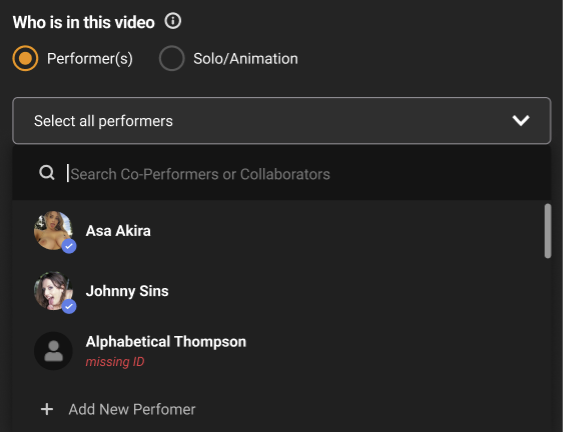
Now, right from the Video Uploader, you can select +Add New Performer from the Who's in this video? Dropdown menu. You'll complete the same familiar process — no detours — and pick up right where you left off.
Keep Moving While Requests Are Still Pending
You no longer have to wait for a Collaborator or Co-Performer's verification to finish before selecting them in the uploader.
Even if their request is still pending or requires an update — like missing consent or documentation — you can select them and take action directly from the Video Uploader.
Your new Co-Performer or Collaborator will be reviewed first, then your video.
Clear Statuses in the Video Manager
Once your video is uploaded, you should be able to tell exactly what's going on with it — and what to do next. We've updated the statuses in the Video Manager to make that easier.
Videos are now tagged with clear indicators based on whether they need your attention:
- Blue Warning: No Action Required
- Red Warning: Action Required
Fewer Steps, Smoother Uploads
Whether you're adding someone new, waiting for a performer to complete their part, or checking in on a video you've submitted, these updates are all about making the process simpler from start to finish.
Want more details? Head over to our Help Center to learn more.
Comments